Instagram Launches Free Edits App for Mac With 4K Exports and AI Agent Support
Instagram has released Edits for Mac, bringing its free video editor to desktop with multi-track editing, watermark-free 4K exports, and support for connecting AI agents to its editing tools.
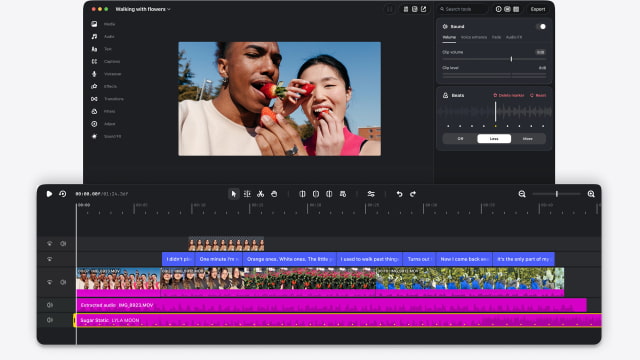
The mobile Edits app launched in 2025. Its desktop counterpart provides more room for complex projects, with keyframes for transitions, precise audio waveforms, and color-grading tools including wheels, curves, and log conversions. Creators can import their own LUTs and font files, and customize keyboard shortcuts to match those they use in another editor.
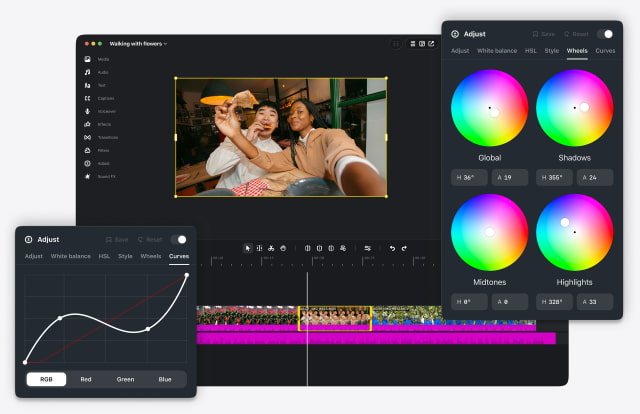
Instagram's licensed and royalty-free audio libraries are built in, alongside hundreds of sound and video effects and unlimited automatic captions in multiple languages. Audio and text styles saved in the mobile app are also available on desktop.
For AI-assisted workflows, users can enable Model Context Protocol, or MCP, in Settings. The integration lets compatible agents work with the editor's tools rather than limiting users to a single built-in assistant. Edits product lead Matthew Simari told The Verge that users can connect their preferred agent, including Meta's Muse, and move between agent-driven and manual editing.
In one example, a creator could ask Muse to make a rough cut from a video in their Downloads folder. The agent would use the Edits tools to assemble it, after which the creator could open the project in Edits and continue making changes by hand.
Finished videos can be published directly to Instagram, including tagging, location, and trial reels, without moving the file back to a phone first. Horizontal and vertical formats are supported, so exported videos can also be shared on other platforms or kept for personal use.
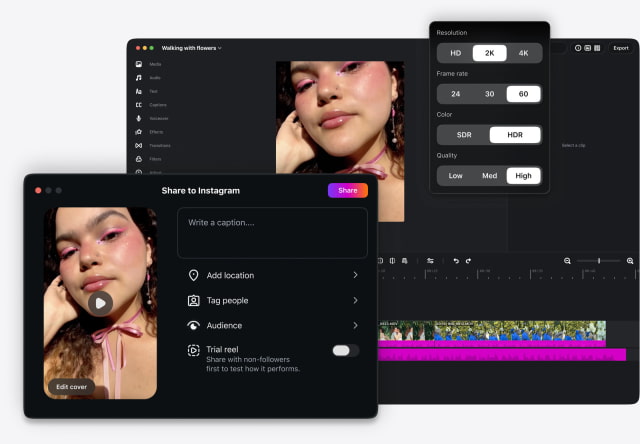
Editing the same project across desktop and mobile is still in development. Instagram is working on that capability and plans to ship weekly updates to the Mac app.
Edits requires a Mac with Apple silicon, M1 or later, and an Instagram account. There is no Windows or Linux version. The app is available to download for free from Instagram's website.