

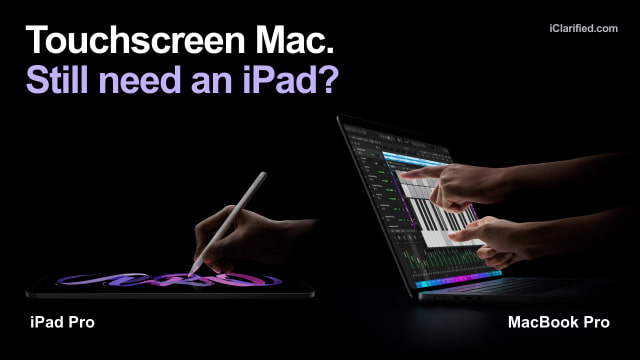
Apple's touchscreen MacBook Pro makes the decision to buy an iPad Pro a little harder. If you already need a Mac for work, you can now get touch controls without buying a second device. But an iPad offers more than a screen you can tap, especially once you take it off the keyboard.
The new PROLED XDR MacBook Pro arrives November 6, with Amazon pre-orders open. Here we're comparing the 14-inch M5 Pro model with the M5 iPad Pro, available in 11-inch and 13-inch sizes.
Mac Apps, Now With Touch
The new MacBook Pro runs macOS and desktop Mac apps, with touch alongside the keyboard and trackpad. You can tap controls, scroll through a document, or pinch to zoom directly on the screen without moving the project to an iPad.
Apple says existing Mac apps work with touch. More specialized controls will arrive in updates: its Creator Studio apps are due in November, with enhancements for Microsoft Office, Adobe apps, and DaVinci Resolve planned for later this year.
If your work depends on a Mac-only app or plug-in, the MacBook is the straightforward choice. Magic Keyboard adds a keyboard and trackpad to the iPad, but it still runs iPadOS apps.
Developers can also test touch interactions in their iPhone and iPad apps directly on the MacBook Pro's display. That makes Simulator more representative of how someone actually uses the app, without reaching for a separate device for every touch-interaction check.
The iPad Is Still Much Easier to Hold
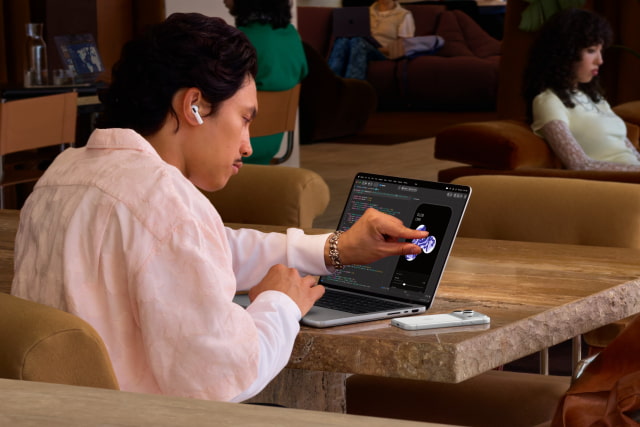
A 14-inch OLED M5 Pro MacBook Pro weighs 1.38kg. The 13-inch Wi-Fi iPad Pro weighs 579g on its own, and the 11-inch version weighs 444g. Those are tablet-only weights; a keyboard adds more. You can take it off when you want to read, watch a film, or show someone a photo.
The MacBook's screen stays attached to its keyboard. You cannot detach it to read in portrait orientation or lay just the display flat on a desk. The iPad also offers an 11-inch option that takes up much less room in a bag or on a crowded seat.
Both products use tandem OLED with ProMotion up to 120Hz. Apple rates the Mac at up to 2,000 nits peak HDR brightness, compared with 1,600 nits on iPad Pro.

For Pencil Drawing, Keep the iPad
The iPad Pro supports Apple Pencil Pro and Apple Pencil with USB-C. Pencil Pro adds pressure sensitivity, barrel roll, and a squeeze gesture, making it a very different tool from tapping with a finger. For sketching, handwriting, illustration, or marking up a document on a flat screen, the iPad keeps an advantage that the Mac's new touch controls do not address.
Apple hasn't announced Apple Pencil support for the MacBook Pro.
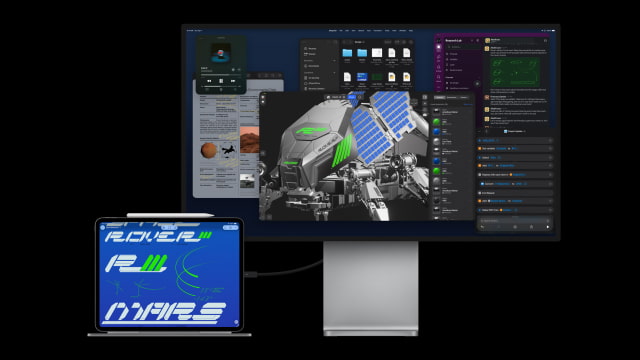
With Sidecar, you can use an iPad as a second Mac display and draw in the Mac app shown on it with Apple Pencil. macOS 27 and iPadOS 27 also expand Sidecar's touch support, letting you interact directly with Mac windows and menus.
Both devices must be compatible with Sidecar and signed into the same Apple Account with two-factor authentication. If you already own the pair, try it before buying a new Mac just for touch.
Ports Favor the Mac, Cellular Favors the iPad
The M5 Pro MacBook has three Thunderbolt 5 ports, HDMI, an SD card slot, MagSafe, and a headphone jack. It can run up to three external displays alongside its own. That is a much easier starting point for a desk with storage, monitors, and other equipment already attached.
The iPad Pro has one Thunderbolt 3 / USB 4 port and supports one external display, at up to 6K at 60Hz or 5K at 120Hz. A hub can add connections, but the Mac has more built in. The iPad also offers optional 5G and eSIM for use away from Wi-Fi; the Mac needs another connection, such as your phone's hotspot.
Apple rates the 14-inch M5 Pro MacBook for up to 14 hours of wireless web browsing or 22 hours of video streaming. The iPad Pro is rated for up to 10 hours of Wi-Fi web browsing or video, or nine hours of cellular web use. Apple uses different tests for the two devices, so these are not like-for-like battery comparisons.
Add the Keyboard Before Comparing Prices
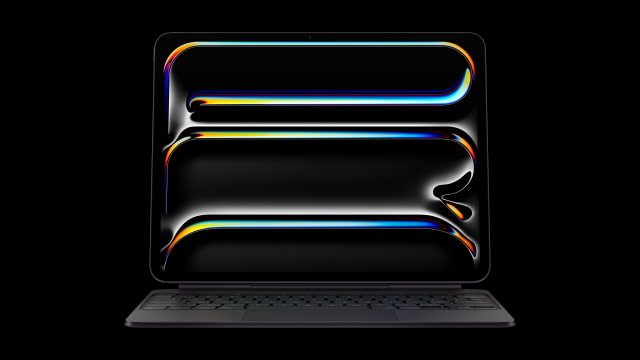
At current U.S. Apple prices, the 11-inch Wi-Fi iPad Pro starts at $1,199 and the 13-inch Wi-Fi model at $1,499, each with 256GB of storage. Magic Keyboard costs $299 and $349 respectively. That puts a starting keyboard-equipped setup at $1,498 or $1,848, before adding a Pencil or cellular.
The 14-inch OLED MacBook Pro starts at $2,899 with 24GB of memory and a 1TB SSD. At the same storage capacity, a 13-inch Wi-Fi iPad Pro with standard glass costs $2,099, or $2,448 with Magic Keyboard. It has 16GB of memory, rather than the 12GB in the 256GB and 512GB iPads. The Mac is $451 more than that keyboard-equipped 1TB setup.
The entry iPad remains substantially cheaper, and a compatible keyboard you already own can lower the cost. A high-capacity iPad bought with Magic Keyboard comes much closer to the Mac's price.
MacBook Pro and iPad Pro Specifications
| Feature | 14-inch OLED MacBook Pro (M5 Pro) | M5 iPad Pro (11 / 13-inch) |
|---|---|---|
| Software | macOS | iPadOS |
| Display | 14.2-inch tandem OLED touchscreen | 11-inch (11.1-inch actual) or 13-inch tandem OLED touchscreen |
| Resolution | 3024 × 1986; 254ppi | 11-inch: 2420 × 1668. 13-inch: 2752 × 2064. Both 264ppi. |
| Brightness | Up to 1,000 nits sustained full-screen below 25°C; 2,000 peak HDR / outdoor SDR. | Up to 1,000 nits full-screen; 1,600 peak HDR |
| Refresh rate | ProMotion, 10–120Hz | ProMotion, 10–120Hz |
| Display glass | Antireflective, oleophobic; optional nano-texture | Antireflective, oleophobic; nano-texture optional at 1/2TB |
| Input | Touchscreen, keyboard, trackpad, Touch ID; Dynamic Island | Touch; Apple Pencil Pro / USB-C Pencil; optional keyboard |
| Weight | 1.38kg / 3.0lb | 11-inch: 444g Wi-Fi / 446g cellular. 13-inch: 579g / 582g. Tablet only. |
| Dimensions | 31.08 × 21.63 × 1.50cm | H × W × D: 11-inch 249.7 × 177.5 × 5.3mm; 13-inch 281.6 × 215.5 × 5.1mm. |
| CPU | M5 Pro: 15 or 18 cores | M5: 9 cores at 256/512GB; 10 cores at 1/2TB |
| GPU | 16 or 20 cores | 10 cores |
| Memory options | 16-GPU: 24/48GB. 20-GPU: 24/48/64GB. | 12GB at 256/512GB; 16GB at 1/2TB |
| Storage | 1/2/4TB | 256GB / 512GB / 1TB / 2TB |
| Ports | 3 Thunderbolt 5; HDMI, SDXC, MagSafe 3, headphone jack | 1 Thunderbolt 3 / USB 4; Smart Connector |
| External displays | Up to 3; plus built-in display | 1: up to 6K/60Hz or 5K/120Hz |
| Wireless | Wi-Fi 7, Bluetooth 6, Thread | Wi-Fi 7, Bluetooth 6, Thread; optional 5G/eSIM |
| Cameras / authentication | 12MP Center Stage, Desk View; advanced video stabilization | 12MP rear; landscape 12MP Center Stage; Face ID; LiDAR |
| Audio | Six speakers; three-mic array | Four speakers; four-mic array |
| Apple battery ratings | Up to 22h video; 14h web | Up to 10h Wi-Fi web or video; 9h cellular web |
| Fast charging | Fast charge with 96W+ | Up to 50% in around 30min with compatible 60W+ adapter |
| Included US adapter | 70W with 15-core; 96W with 18-core | 20W USB-C adapter (US) |
| Current US starting price | From $2,899 (24GB/1TB) | 11-inch from $1,199; 13-inch from $1,499 (256GB Wi-Fi) |
Can You Go From Two Devices to One?
If your work needs Mac apps and your iPad mostly comes along for browsing and video, we'd put the money toward the MacBook Pro. Touch makes it easier to handle those short tasks on the same machine, with less reason to carry both.
Keep the iPad if you draw with Pencil, read or watch while holding the screen, want built-in cellular, or prefer a smaller device away from your desk. If an iPad already handles all your work, touch on the Mac is not a reason by itself to buy a more expensive laptop.
For a closer look at the MacBook's screen and price trade-offs, see our OLED vs. standard MacBook Pro comparison.
Check the iClarified Mac price tracker and iPad price tracker before ordering. Discounts on the iPad, and the accessories you already own, can change the total considerably.
As an Amazon Associate, iClarified earns from qualifying purchases.


![Apple Allocated 80% of Initial iPhone Duo Stock to Stores [Gurman]](/images/news/103206/103206/103206-160.jpg "Apple Allocated 80% of Initial iPhone Duo Stock to Stores [Gurman]")

![Apple Addresses iPad mini's Lack of ProMotion [Video]](/images/news/103194/103194/103194-160.jpg "Apple Addresses iPad mini's Lack of ProMotion [Video]")
![How To Turn Off iPhone [Video]](/images/tutorials/94999/94999/94999-160.jpg "How To Turn Off iPhone [Video]")
![How To Back Up Your iPhone to an External Drive on Mac [Video]](/images/tutorials/72786/72786/72786-160.jpg "How To Back Up Your iPhone to an External Drive on Mac [Video]")
![How To Find Your IP Address on iPhone [Video]](/images/tutorials/496/496/496-160.jpg "How To Find Your IP Address on iPhone [Video]")


![AirTag 2 4-Pack Hits All-Time Low of $69.99 ($29 Off) [Deal]](/images/news/103203/103203/103203-160.jpg "AirTag 2 4-Pack Hits All-Time Low of $69.99 ($29 Off) [Deal]")

![Beats Headphones, Earbuds, and Pill Speaker Are Up to 41% Off [Deal]](/images/news/103026/103026/103026-160.jpg "Beats Headphones, Earbuds, and Pill Speaker Are Up to 41% Off [Deal]")
![New Fire TV Stick 4K Drops to $29.99 (50% Off) [Deal]](/images/news/102984/102984/102984-160.jpg "New Fire TV Stick 4K Drops to $29.99 (50% Off) [Deal]")
