These are instructions on how to jailbreak your iPhone 3GS using PurpleRa1n for Windows. Once you have completed this tutorial you will be able to unlock your iPhone 3GS using this tutorial.
This is a preliminary jailbreak and thus some apps such as Winterboard will not work. You may want to consider waiting for the jailbreak release from the iPhone Dev-Team if this is important to you.
This tutorial should work with Windows XP, Vista and 7.
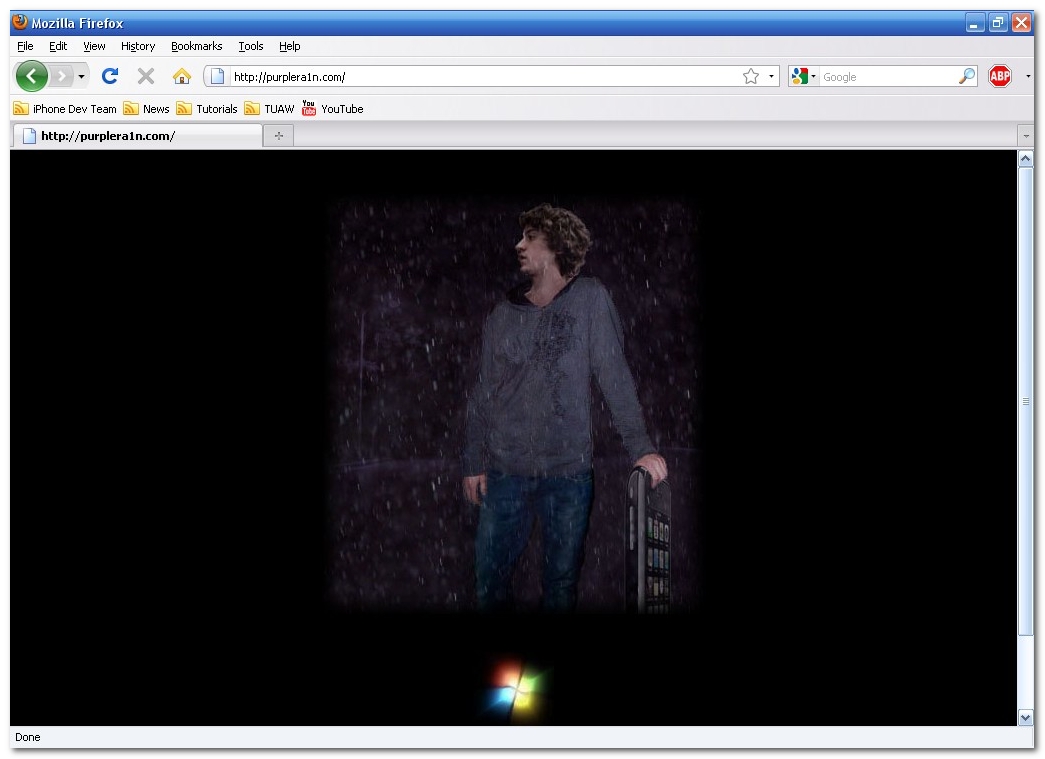
Step One Open your web browser of choice and navigate to http://www.purplera1n.com. Click the Windows logo at the bottom of the screen.
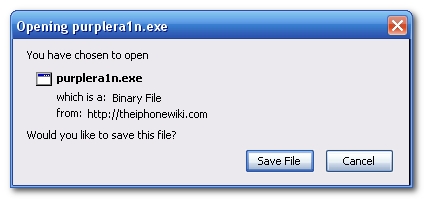
Step Two When prompted save the download to your desktop
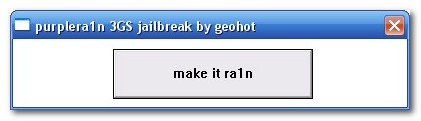
Step Three Double click the purplera1n.exe file from the desktop to launch the application
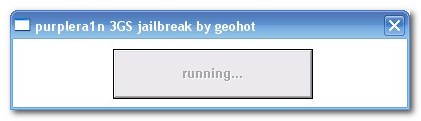
Step Four Click the large make it ra1n button
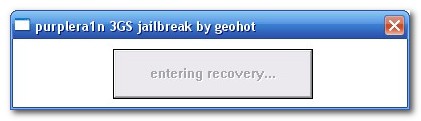
Step Five You iPhone will now be placed in recovery mode. You will see a picture of GeoHot that replaces the regular recovery mode screen on your device.
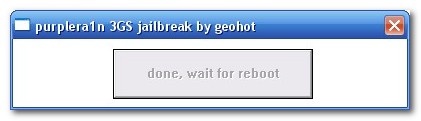
purplera1n will run and then your device will reboot.
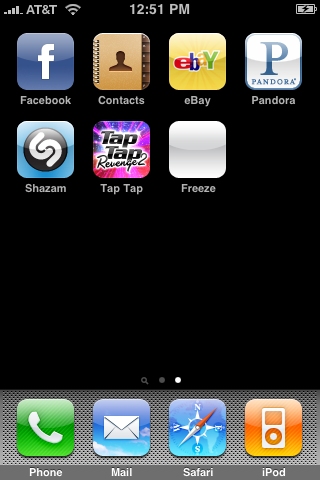
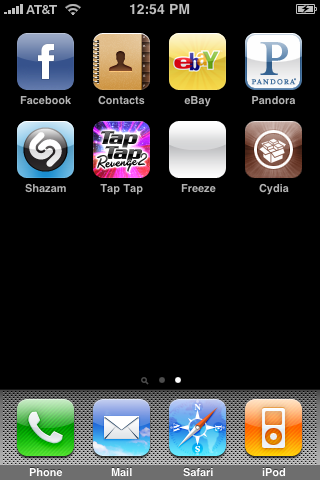
Step Six Once your device reboots you will see a new icon on the SpringBoard entitled Freeze. Press it to continue.
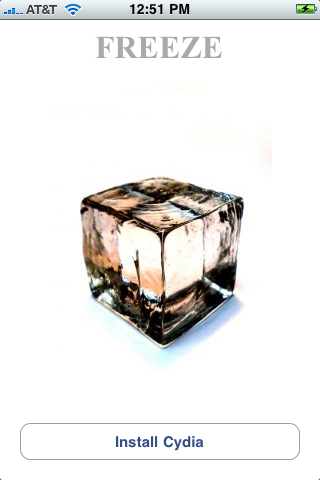
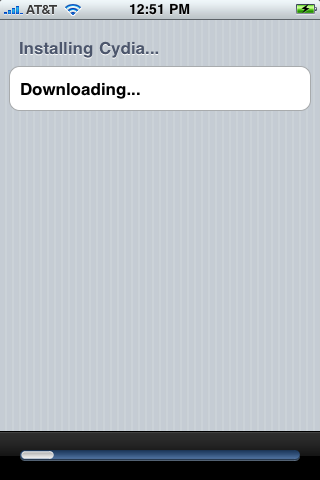
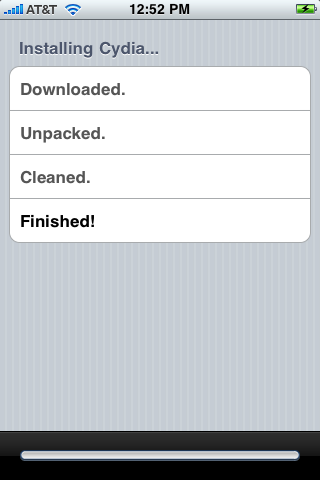
Step Seven Once Freeze opens tap Install Cydia.
Step Eight Once the Cydia installation has completed you must reboot your iPhone.
Step Nine When you iPhone has rebooted you can run Cydia. Let it do all the necessary updates then follow our Unlock tutorial to finally unlock your iPhone 3GS.
NOTE*: To remove the Freeze icon from your desktop you can install CyDelete from Cydia then use it to delete the application. We will post a tutorial on this shortly.
THANKS*: A big thanks goes to GeoHot for his work in making this jailbreak possible. Also thanks to others who contributed such as chronic and the dev-team and to Mateen for the nice screenshots!
Get the iClarified Daily Newsletter
Apple news, rumors, tutorials, price drop alerts, in your inbox every evening, free.
Unsubscribe at any time.
Success!
You have been subscribed.
Add Comment
Would you like to be notified when someone replies or adds a new comment?
Yes (All Threads)
Yes (This Thread Only)
No
Notifications
Would you like to be notified when we post a new Apple news article or tutorial?
Great tutorial.
However, I'm encountering the following problem.
I have a factory unlocked 3gs 16gb with 3.0.1.
After running purplerain and receiving the success message (Windows PC), I saw that I did not have any new icnon on my iphone.
The purplerain log file shows the following:
***
INFO: welcome to blackra1n for windows
INFO: loaded dll at C:\Program Files\Common Files\Apple\Mobile Device Support\bin\iTunesMobileDevice.dll
INFO: button clicked
INFO: internal device callback called
INFO: callbacks registered
INFO: sent enter recovery command
INFO: internal recovery callback called
INFO: unregistered normal mode callback
INFO: go go gadget ra1n
INFO: send command started
INFO: file opened
ioctl: 1
INFO: command setenv auto-boot true sent
INFO: send command started
INFO: file opened
ioctl: 0
INFO: command saveenv sent
send payload: 0
INFO: start sending exploit
ioctl: 0
INFO: exploit closed 0
sent exploit
INFO: send command started
INFO: file opened
ioctl: 0
INFO: command geohot sent
send picture: 0
INFO: send command started
INFO: file opened
ioctl: 0
INFO: command setpicture 0 sent
INFO: send command started
INFO: file opened
ioctl: 0
INFO: command bgcolor 1 1 1 sent
send ramdisk: 0
INFO: send command started
INFO: file opened
ioctl: 0
INFO: command geohot sent
INFO: I JUST DROPPED IT LIKE ITS HOT
INFO: unused callback called
WARN: wtf who called this?
INFO: global callback finished
What am I doing wrong?
Thank you.
Sorry, I know this is probably somewhere in the threads but... jailbroke my 3GS... using purple snow. (didnt want to start from scratch with red snow).. now WiFi doesnt work... any ideas?
You should just wait for the new jailbreak for 3.1 and restore your phone but if you really want to do a jailbreak for 3.0.1 then Redsnow is the only software that works and not Purplerain.
purplera1n does not work on versio 3.0.1 but redsnow will.
you need an XP machine i could not get it to work on vista. dl the files on an xp machine and jailbreak from that and it works
This purplera1n has issues for me. I have tried using it and it freezes when it is rebooting. I have not had any problem using redsn0w, however, I was trying purplera1n because my phone kept crashing when I downloaded Winterboard/Mobliesubstrate using redsn0w. I figured using purplera1n would allow me to install Winterboard, but, it keeps freezing up. I have restored more then 4 times and purplera1n does not work in my case. If anyone can help, great, if not, back to the Dev-Team I go.
After all this, it will not reboot...it stays with that guy picture forever....what do I do?
I did install the newest version of firmware..stupid....Please Help....
i stupidly installed the new update for the iphone 3gs and it wiped my jailbreak clean. now when i try via PurpleRa1n it gets to the point where its waiting on a reboot but it does nothing? anyone know how to get it back up again?
You can delete Freeze by installing CyDelete (in Cydia)
After a reboot/respring you should go to Settings -> CyDelete -> Enable Non-Cydia Deletion
Then you tap(+hold) on Freeze; Click on the X and it will remove CyDelete. :)
i jailbroke the phone a few days ago at my uncles house, worked great, love it. now im home and i captured the iBEC and iBSS, obviously putting the phone in recovery mode, now that its restored it needs to be jailbroken again, well i tried multiple times and each time it works successfully but it doesnt put freeze on the SB, it just goes back to normal. any idea?
Hi i'm a newbie here. Tried purplera1an several time no luck. I dont have any activated AT&T sim or others coz i live outside US or UK, got my 3gs from ebay. What happened is;
- restore w itunes, only get 'slide for emergency' no SB or icons at all, then
- run purplera1n on Xp, process smoothly until reboot n itunes appear. Still no SB or icons at all, just 'slide for emergency' and usb cable - itunes image.
Could anyone please help? Im really desperate to unlock my new phone.
Many thanks
i agree with what he said, i used purplera1n at first but went with redsn0w last night and it was much better. winterboard is useable as well as all the other cydia and icy sources. its a great jailbreak, the customization is awesome.
Hey I jailbroke my iPhone 3G S using purplera1n and installed cydia. I can't seem to get Freeze off of my desktop, I tried using Cydelete and it says Freeze was not installed by Cydia so Cydelete cannot delete it. How do I get it off my desktop?







![How To Back Up Your iPhone to an External Drive on Mac [Video]](/images/tutorials/72786/72786/72786-160.jpg "How To Back Up Your iPhone to an External Drive on Mac [Video]")


![How To Find Your IP Address on iPhone [Video]](/images/tutorials/496/496/496-160.jpg "How To Find Your IP Address on iPhone [Video]")
![16-Inch MacBook Pro With M5 Max Drops to $3,499 ($900 Off), Lowest Price We've Seen [Deal]](/images/news/102900/102900/102900-160.jpg "16-Inch MacBook Pro With M5 Max Drops to $3,499 ($900 Off), Lowest Price We've Seen [Deal]")
![Mac Studio With M5 Max Is $200 Off, Lowest Price We've Seen [Deal]](/images/news/102897/102897/102897-160.jpg "Mac Studio With M5 Max Is $200 Off, Lowest Price We've Seen [Deal]")
![14-Inch MacBook Pro With M5 Pro Drops to $2,069.10 ($429 Off) [Deal]](/images/news/102879/102879/102879-160.jpg "14-Inch MacBook Pro With M5 Pro Drops to $2,069.10 ($429 Off) [Deal]")
![Apple HomeView and New Apple TV 4K Get First Pre-Order Discount on Amazon [Deal]](/images/news/102867/102867/102867-160.jpg "Apple HomeView and New Apple TV 4K Get First Pre-Order Discount on Amazon [Deal]")
